Designing micro interactions for insurance workflows
A series of interactions and UX solutions for BriteCore, a content management system built for insurance carriers. As Lead Product Designer, I focused on the small moments that decide whether a tool feels like it's working with the user or against them.
Role
Lead Product Designer
Company
BriteCore
Duration
Ongoing, 2+ months
Focus
Micro interactions
The Approach
Insurance work is repetitive, so small friction adds up fast
Agents and carrier staff spend their day inside the same handful of screens. A detour to look something up, a search rebuilt from scratch, or a rule that needs a developer all cost time, and they cost it hundreds of times.
Each of the three interactions below started with a moment where someone had to leave their place in the workflow. The goal was the same every time: bring what they need to them.
- 01
Keep people where they are
Information should come to the user. If a task needs context, show it in place instead of sending them back a few pages.
- 02
Make repeated work reusable
When someone does the same complex thing more than once, the product should remember it for them.
- 03
Lower the floor, keep the ceiling
New users should be able to start without training, and advanced users should never feel boxed in.
Interaction 01 · Search
Saved search filter
The Problem
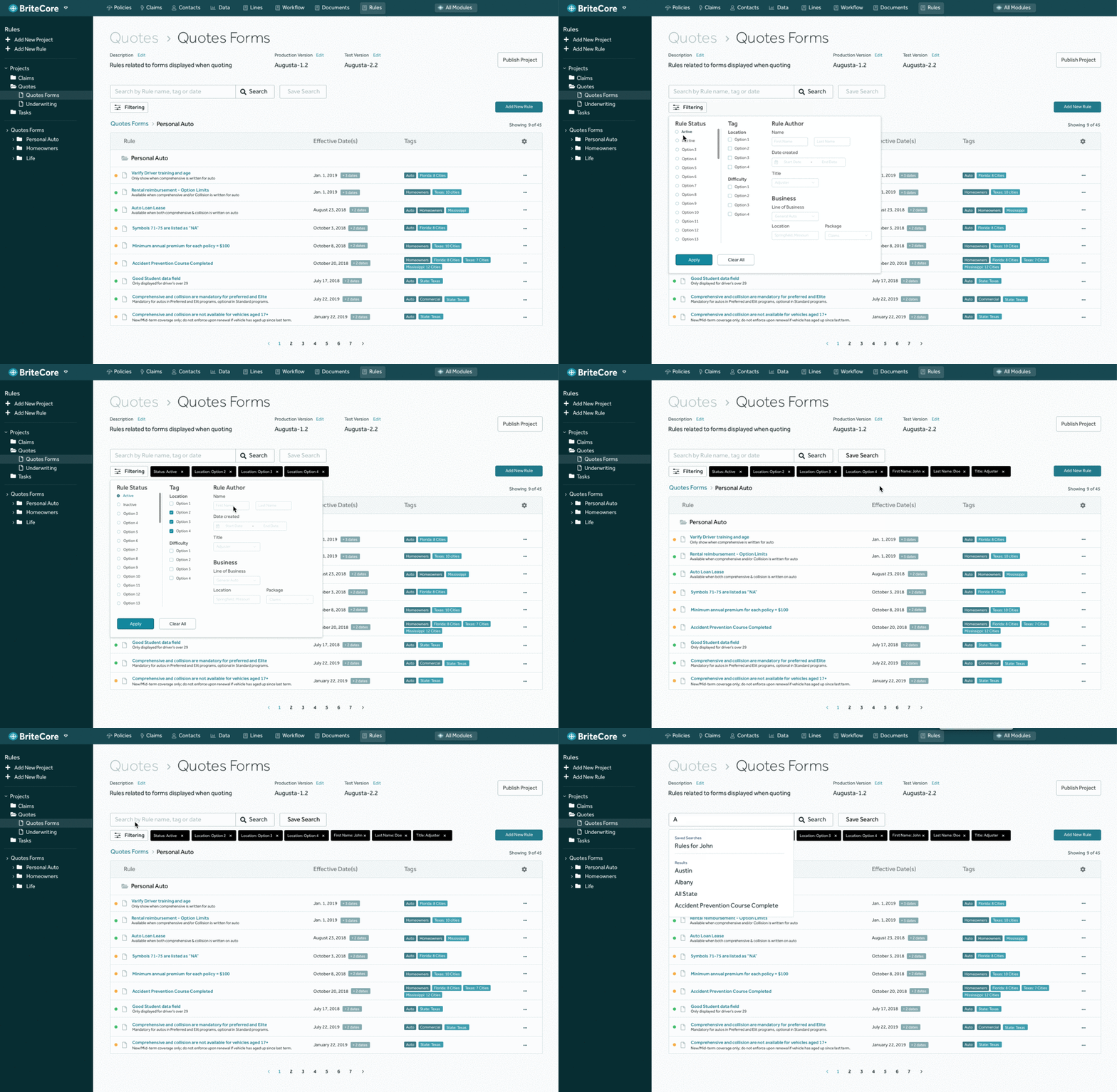
The search filter couldn't handle large scale searches. Once results passed 100, users had no good way to narrow them down.
The Solution
I expanded the filter options to give users more flexibility. That surfaced a second opportunity: anyone who builds a search with many parameters shouldn't have to rebuild it next time.
Users choose their filters, save the set, and reopen it later from their saved searches.
Details Worth Noting
Save appears when it's useful
Save Search stays quiet until a search has parameters worth keeping, so it never competes with the main search action.
Results stay legible at scale
The list keeps a running count of how many results are showing, so users always know how far the filters have narrowed things.
Interaction 02 · Context in place
Calculation reference definition
The Problem
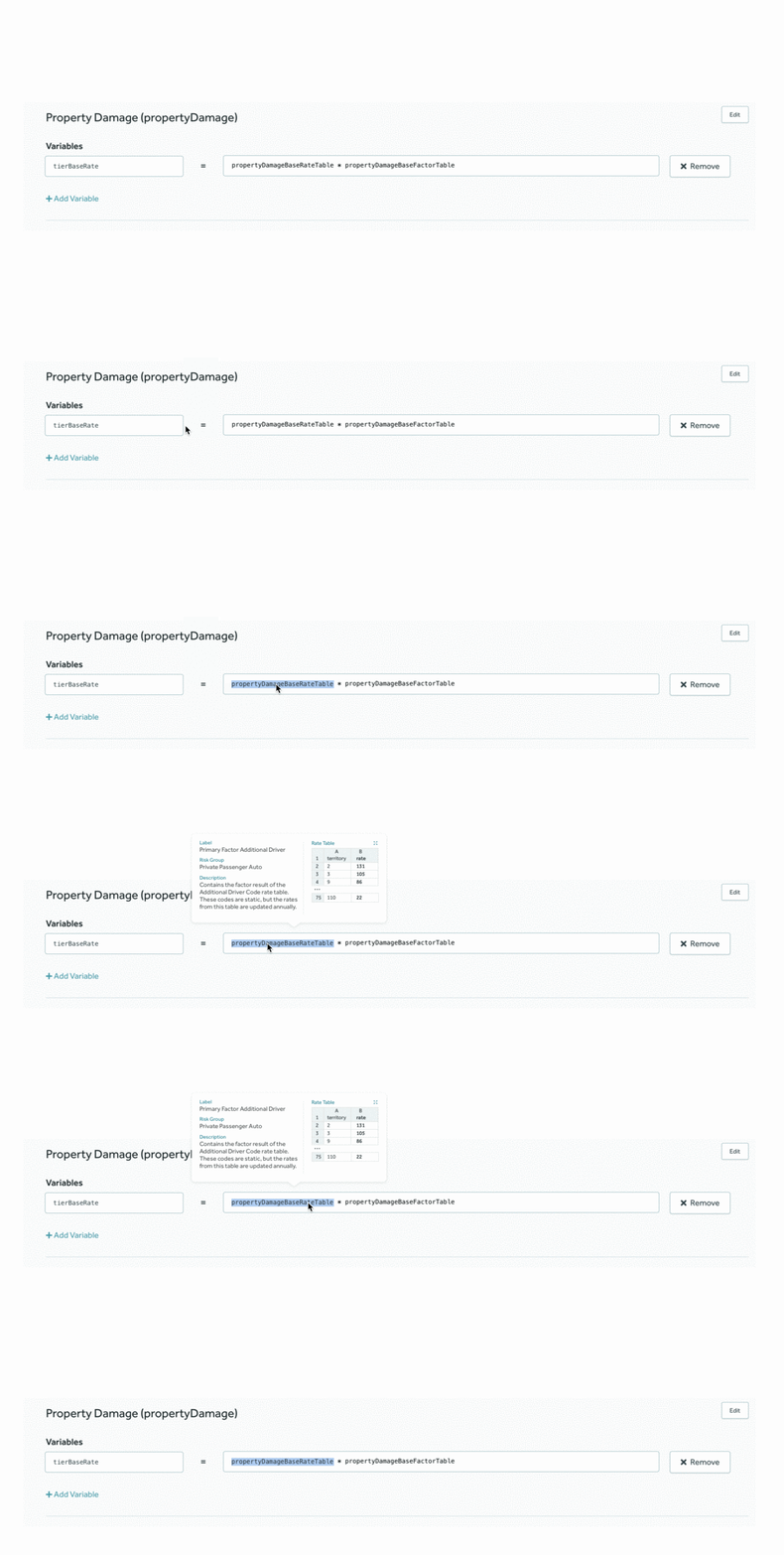
While using the application, users needed to find out what a calculation contained. To do that, they had to go back a few pages, then find their way back to where they were.
The Solution
I created a treatment where the user highlights or selects a calculation and its contents reveal in a tooltip style interaction.
The user never leaves their place in the workflow.
Details Worth Noting
A lookup, not a navigation
Because the definition opens on top of the current screen, checking a calculation costs a glance instead of a round trip.
Built for people mid-task
The reference disappears as easily as it appears, so it never leaves anything to clean up.
Interaction 03 · Visual builder
Rule query builder
The Problem
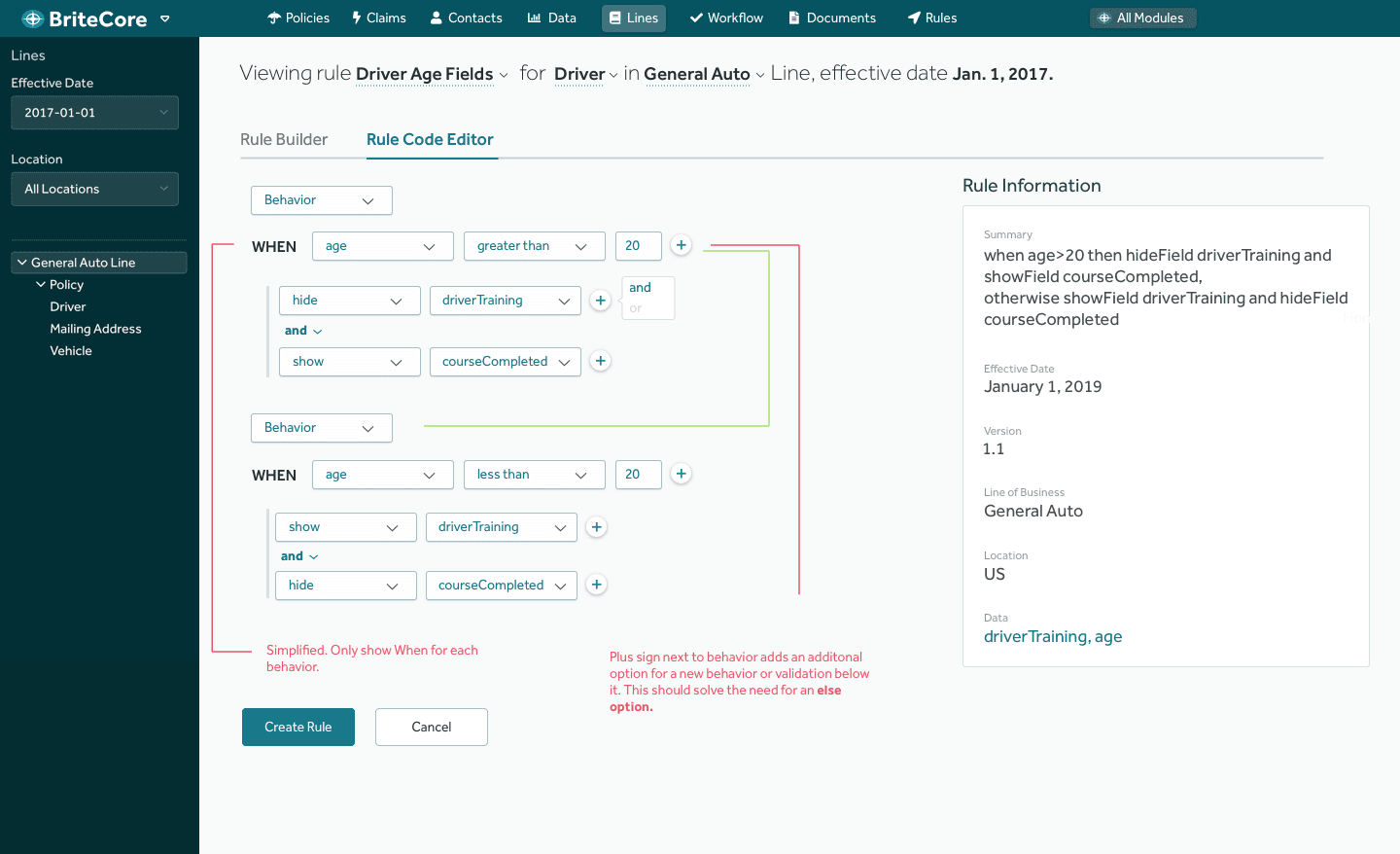
Carriers need to complete complex, repeated tasks that trigger events in different parts of the application. The existing rule builder handled a wide range of queries, but writing the "recipes" required advanced coding knowledge.
The Solution
The goal was a visual builder that could achieve at least 75% of rules, so people who weren't power users could start building right away.
I designed a simple UI where users pick options to assemble a rule from IF statements, WHEN statements, and different behaviors. It works for new users and advanced users alike.
Details Worth Noting
Plain language summary
A Rule Information panel restates the rule in readable sentences as it's built, so users can confirm what they made without reading code.
Room to grow
A plus control beside each behavior adds another behavior or validation, which covers the need for an else option without a separate concept to learn.
A path for power users
A Rule Code Editor tab sits next to the builder, so advanced users can drop into code for the rules the visual builder doesn't cover.
Back to